

AI Rap Video Generator
Turn one photo into a 4, 6, or 8-second AI rap video with generated vocals, a beat, and lip sync. Choose a style and format, then download your 720p MP4.
Pick your rap video style
Each style is a complete scene: setting, camera, beat and verse. Choose one and your photo becomes the rapper.
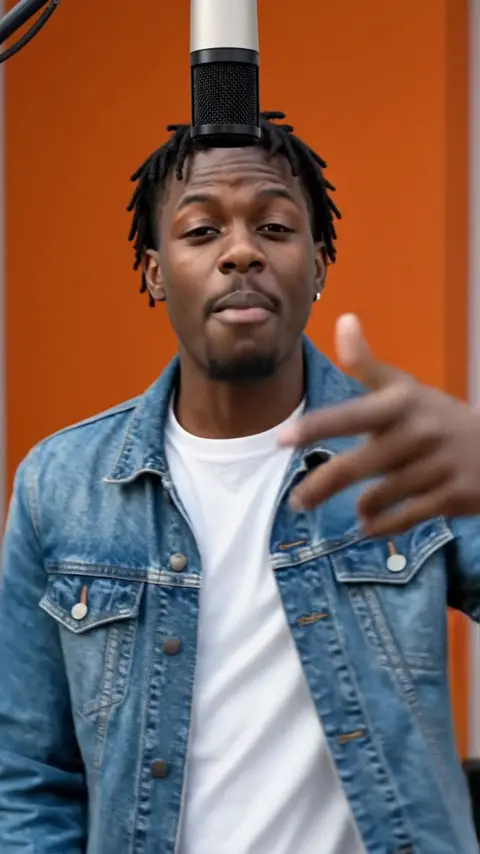
- Hotel Lobby The viral orange-studio session: one hanging mic, a bouncy trap verse straight to camera.
Hotel Lobby
The viral orange-studio session: one hanging mic, a bouncy trap verse straight to camera.
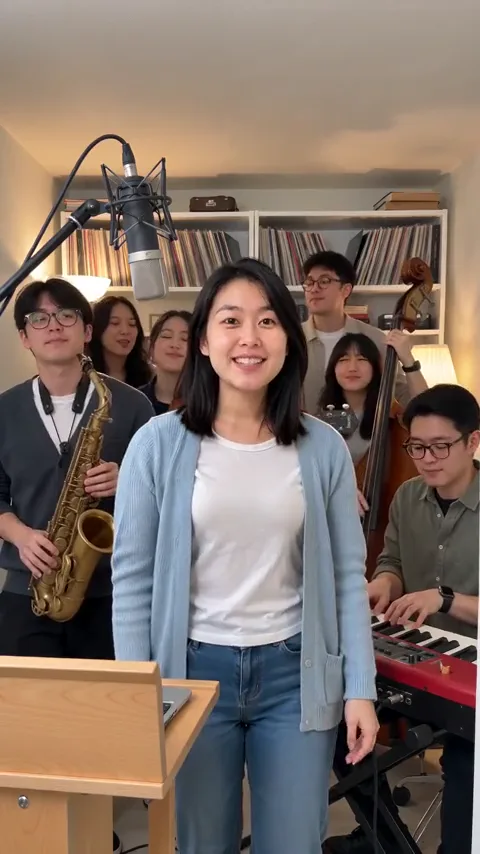
- Tiny Desk AI A cozy desk-side session with a live band behind you and a rap verse up front.
Tiny Desk AI
A cozy desk-side session with a live band behind you and a rap verse up front.
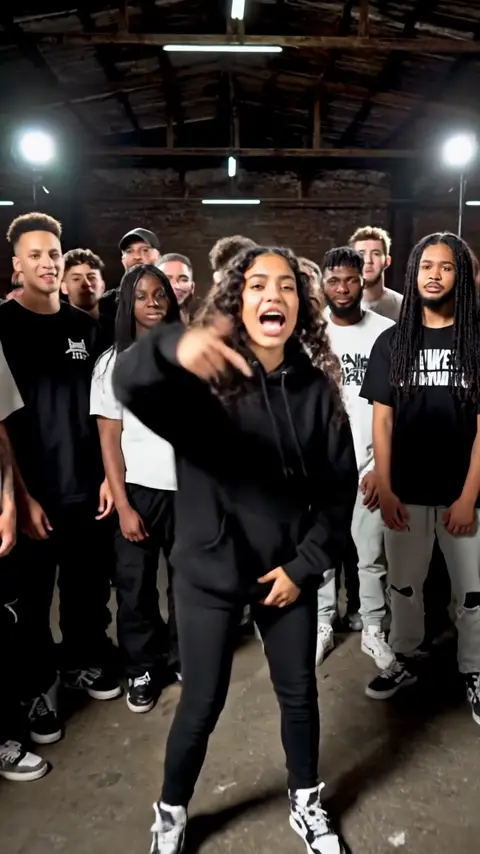
- Rap Battle Spit a battle verse in an underground warehouse while the crowd goes wild.
Rap Battle
Spit a battle verse in an underground warehouse while the crowd goes wild.
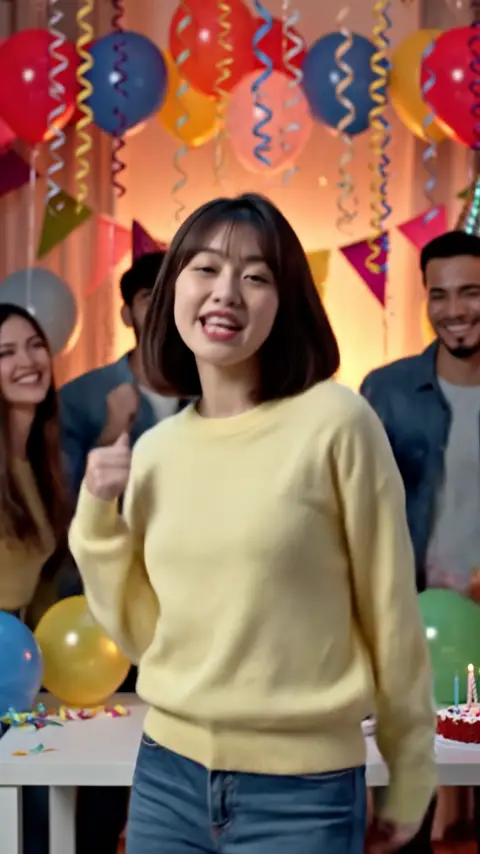
- Birthday Rap A party-ready birthday verse with balloons and cake. Add a name to shout them out.
Birthday Rap
A party-ready birthday verse with balloons and cake. Add a name to shout them out.
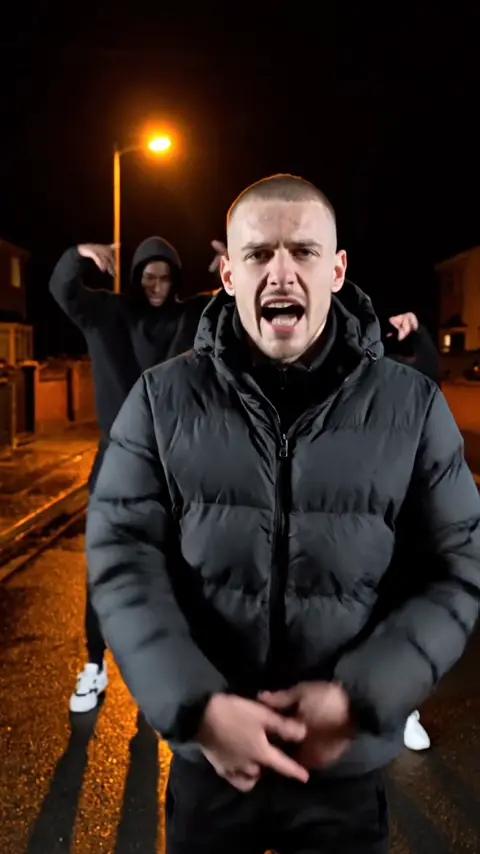
- UK Drill Cold night-street drill with sliding 808s and a crew behind you.
UK Drill
Cold night-street drill with sliding 808s and a crew behind you.
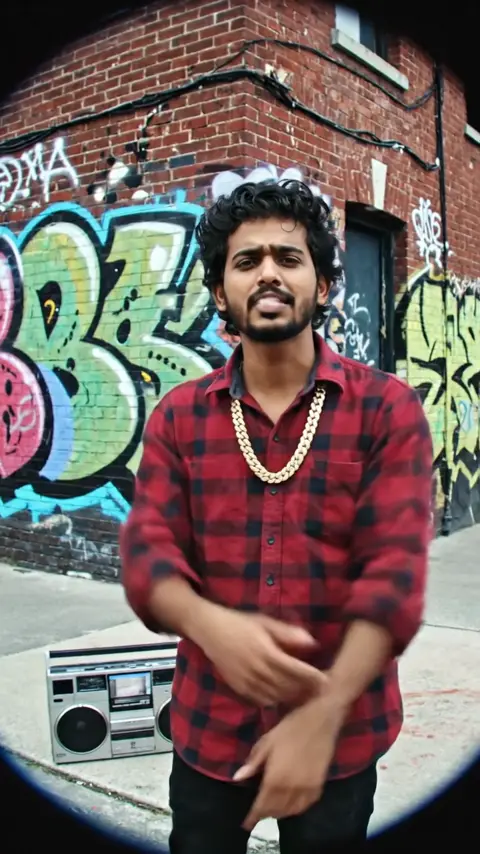
- 90s Old School Boom-bap on a New York corner, gold chain and fisheye lens included.
90s Old School
Boom-bap on a New York corner, gold chain and fisheye lens included.
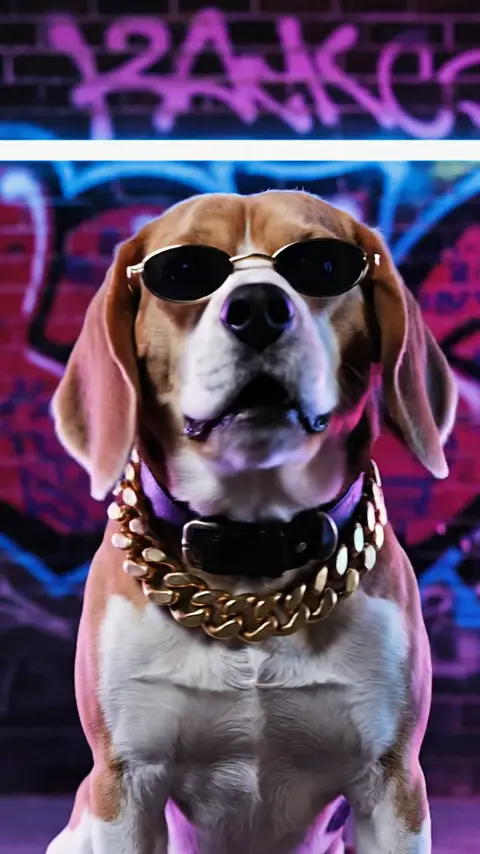
- Pet Rapper Turn your dog or cat into a trap star. Upload a pet photo for this one.
Pet Rapper
Turn your dog or cat into a trap star. Upload a pet photo for this one.
How to make an AI rap video
- 1
Upload a photo
Use a clear, front-facing photo of yourself, a friend, or your pet. JPG, PNG, HEIC and more, up to 30 MB.
- 2
Choose a style
Pick a preset such as Hotel Lobby, Rap Battle or Birthday Rap, then set the length and format.
- 3
Download your video
In a few minutes you get an MP4 with lip-synced rap vocals and a beat, ready to post anywhere.
What is an AI rap video generator?
An AI rap video generator turns a still image into a short music video. Instead of filming, recording vocals and editing footage, you start with one photo. The AI animates the subject, writes a verse, produces a beat and syncs the lips to the vocals, so the person or pet in your picture looks like they are performing.
Each style on AI Rap Video is a complete preset, so you do not need to write a prompt or learn a video editor. The preset sets the location, camera movement, beat and verse. You choose the length, format and quality, and most videos are ready in 3–5 minutes.
What you can make with an AI rap video generator
Social media posts
Short portrait videos fit TikTok, Instagram Reels and YouTube Shorts. Hotel Lobby is built around the viral orange-studio look, so a single selfie can become a clip for your feed.
Birthday surprises
Pick Birthday Rap and upload a photo of the guest of honor. You get a short party verse with balloons and a scene that is ready to send to a group chat.
Pet videos and memes
Your dog or cat can be the rapper. Pet Rapper adds a gold chain, sunglasses and a trap verse, which makes it an easy way to get a laugh from one good pet photo.
Music and artist concepts
Try a look before you book a shoot. Use UK Drill, 90s Old School or Rap Battle to test a visual idea for a track, an artist profile or a promo clip.
A rap video maker that runs in your browser
Plenty of rap video tools are mobile apps, which makes sense if you want to install something and keep it on your phone. A web-based AI rap video generator suits a different moment: you have a photo, you want a video now, and you would rather not download anything first.
AI Rap Video works in any modern browser. The upload, style presets and format options sit on the page you land on, so you can start from a laptop or your phone and download the finished MP4 from either one.
Frequently asked questions
It is a tool that animates a still photo into a short music video where the person in the picture raps to an original beat. AI Rap Video writes the verse, builds the scene and syncs the lips for you.
A clear, well-lit photo with the face looking at the camera works best. Waist-up shots give the model room for hand gestures. Avoid heavy filters, sunglasses or faces that are very small in the frame.
Most videos are ready in 3–5 minutes. You can leave the page while it works; the finished video appears in your History.
Yes. Choose the Pet Rapper style and upload a photo of your pet. It gets a gold chain, sunglasses and a trap verse of its own.
Videos use credits. The default Seedance 2.0 Mini model costs 30, 40 or 50 credits for 4, 6 or 8 seconds. Seedance 2.5 costs 140, 180 or 220 credits for the same durations. Both output 720p. See the pricing page for credit packs.
Yes. Every video downloads as an MP4 in portrait or landscape. Only upload photos you have the right to use, and get permission before making a video of someone else.
No. AI Rap Video has no free plan or signup credits because every video has a real generation cost. You can browse the styles and sample videos without paying, and credit packs start at $9.90. Eligible first-time buyers can get the Starter pack for $4.95 once.
Yes. It runs in the browser on desktop and mobile, so there is no app to install. You need an account to generate a video, and your finished videos stay in your History.
Look at the sample videos first, then check lip sync, how much of the photo stays recognizable, the price per video and whether the output format suits where you plan to post. A focused tool usually gets you a finished rap video faster than a general video editor.
Both models output 720p MP4 videos in 4, 6 or 8 seconds. Choose portrait (9:16) for TikTok, Reels and Shorts, or landscape (16:9) for YouTube. Your photo is cropped to the selected format.
Your photo is one click away from a rap video
Upload a picture, choose a style and let the beat drop.
Upload a photo